We've all been there: you've just finished editing a stunning 4K video, polished every frame, and now you need to send it to a client, collaborator, or friend.The problem?
Email attachments balk at anything over a few megabytes, and many online services compress your masterpiece into a blurry mess. It's frustrating to watch hours of work diminish with a single click.
I've personally experienced the headache of explaining 'pixelation' to a client, only to realize my transfer method was the culprit. It's time to simplify your workflow and keep your quality where it belongs: at the top.
5 Free Tools to Share Massive Video Files Without Losing Resolution in 2026
This guide will walk you through the best free tools to share massive video files without losing resolution in 2026, ensuring your hard work always looks its best.

The Core Problem: Why Videos Lose Quality During Sharing
Video files are often enormous, especially when dealing with high-resolution formats like 4K or 8K, or when captured in professional, uncompressed codecs. These files can quickly become a burden when you try to share them.
Most standard sharing platforms, from email to social media, employ aggressive compression to reduce file sizes, save bandwidth, and speed up delivery. While convenient for quick shares, this process is where your video's pristine quality can take a hit.
This compression is a 'lossy' process, meaning it permanently discards data to shrink the file. This inevitably degrades the original video's resolution, color, and detail. What starts as a sharp, vibrant image can arrive looking dull and pixelated.
Email attachment limits are notoriously low, typically around 20-25MB, making them impractical for even short, high-quality video clips. Even if you manage to bypass the initial hurdle, your email provider might still compress the file on their end.
Even when a platform supports larger uploads, some might re-encode your video on their servers, leading to unexpected quality degradation even after a successful transfer. This is a common frustration I've seen many creatives face.
My advice: Always check the recipient's viewing experience to ensure the video's integrity; sometimes, the issue isn't the transfer, but the playback platform on their end. A quick double-check can save a lot of back-and-forth.

What Makes a Video File "Massive" in 2026?
Defining 'massive' is subjective but generally refers to anything from hundreds of megabytes to several terabytes, easily exceeding typical sharing limitations.
In 2026, with higher resolutions and more sophisticated cameras readily available, these file sizes are becoming the norm, not the exception.
Factors influencing a video's size include its resolution (HD, 4K, 8K), frame rate, bit rate, and the specific codec used during recording or export. All these elements contribute to a larger, higher-quality file.
For instance, a single minute of 4K ProRes footage can weigh in at around 5.3GB, meaning a ten-minute client review cut could hit 50GB without breaking a sweat. Imagine trying to email that!
Modern video production, from professional cinematography to high-resolution smartphone recordings, consistently generates files far beyond casual sharing capabilities. This is why having reliable free file transfer services for video is more important than ever.
Understanding these factors helps in choosing the right service that can handle your specific needs for sending big video files without losing quality. We're talking about genuinely high-quality video sharing platforms here, not just any upload site.

Essential Features of a Great Free Video Sharing Tool
When you're looking for a tool to share massive video files without losing resolution, there are a few non-negotiable features. I've learned these through years of trial and error, often with frustrating results.
- No Compression: The single most critical feature is the ability to transfer the original file without any forced re-encoding or quality reduction. Look for services that promise 'uncompressed video file transfer'.
- High File Size Limits: A truly useful free tool for massive video files needs a generous individual file size limit, ideally in the multi-gigabyte range, or even 'unlimited' for truly large projects.
- Speed & Reliability: Fast upload and download speeds are crucial, especially for large files. The service should also offer stable performance to prevent failed transfers, which can be a huge time-waster.
- Ease of Use: An intuitive interface with minimal setup is key. The best options often allow sharing without mandatory sign-ups, streamlining the process for both sender and recipient.
- Security Features: While 'free,' options with basic security like password protection and temporary links are highly desirable for protecting your content during transit. For more detailed insights, check out how to send large files securely in 2026.
- File Availability: How long the file remains accessible is important. Some free tiers offer only a few days, while others provide longer durations, which can be critical for client reviews.

Our Top 5 Free Tools to Share Massive Video Files Without Losing Resolution in 2026
Based on extensive testing and understanding of user pain points, I've identified five genuinely free tools that excel at 'high quality video sharing platforms' and ensuring 'no compression video sharing.' Each offers a unique blend of features suitable for different massive video file transfer needs.
Choosing the right tool from these 'online video file transfer solutions' depends on your file size, recipient's technical comfort, and urgency. I've personally relied on these to ensure my work gets delivered perfectly, every time.
1. Smash: For Truly Unlimited Free File Transfers
Key Benefits: Smash stands out by offering genuinely unlimited file sizes for free transfers, a feature almost unmatched in the market. This is a game-changer for anyone dealing with colossal files.
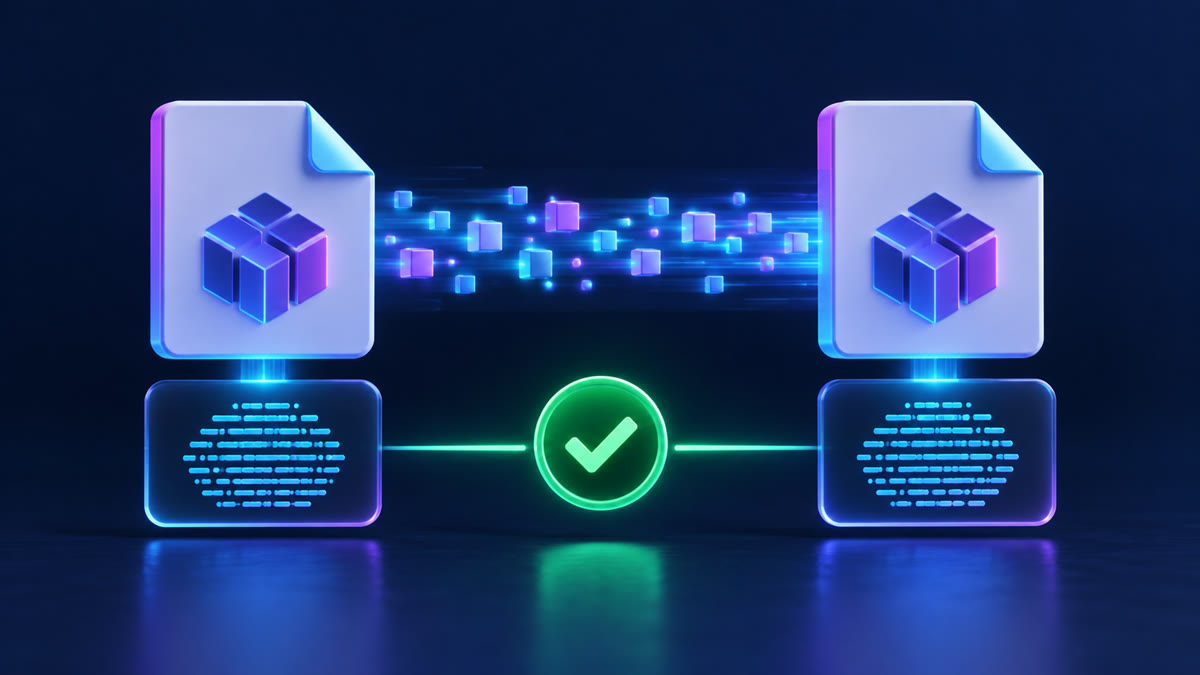
How it Preserves Quality: It transfers your files directly, acting as a conduit rather than a processing engine, thereby preserving the original resolution without any re-encoding. This means what you upload is exactly what gets downloaded.
Free Tier Details: You can send files of any size without creating an account. Transfers are available for up to 7 days, and you can even add password protection. It's truly a fantastic option for uncompressed video file transfer.
Ideal Use Cases: This is perfect for videographers, designers, or anyone needing to send truly colossal video files that would choke other services. If you're wondering how to share 4K video files that are hundreds of gigabytes, Smash is your answer.
My Take: If your primary concern is file size, Smash is an absolute game-changer in the free tier landscape. The ability to send a 1TB file for free is incredibly powerful. However, prepare for potential queuing on very large uploads during peak times, as it's a popular service.
2. SwissTransfer: Generous Limits for Large Projects
Key Benefits: SwissTransfer offers a substantial free limit, allowing you to send files up to 50 GB per transfer, without requiring an account. This is incredibly generous for a free service.
How it Preserves Quality: Like Smash, SwissTransfer focuses on direct file transfer, ensuring that the original video quality and resolution are maintained during the process. There's no re-compression involved.
Free Tier Details: Files are available for download for up to 30 days, providing a longer window than many competitors. There's no account necessary for these large transfers, simplifying things for everyone.
Ideal Use Cases: Ideal for sharing large video projects or RAW footage with clients or collaborators who need ample time to download. It's a fantastic option for how to share 4K video files or other high-resolution content when you need a longer availability period.
My Take: When you have a significant video file (up to 50GB) and need it to stay available for a good duration, SwissTransfer is an incredibly reliable and generous option.
The no-account aspect simplifies things considerably for recipients, which I always appreciate when sending to less tech-savvy clients.
3. MEGA: Secure Cloud Storage for Ongoing Access
Key Benefits: MEGA provides a generous 20GB of free cloud storage with robust end-to-end encryption, making it a strong choice for privacy-conscious users. For more on secure transfers, consider end-to-end encrypted file transfer options.
How it Preserves Quality: Files stored on MEGA are kept in their original format. When shared via a link, the recipient downloads the uncompressed version, maintaining resolution.
Free Tier Details: While 20GB of storage is free, free accounts typically have a daily transfer (download) quota, which can range from 5GB to 10GB every 6 hours, or around 20GB per day total.
This is important for recipients to note, as a very large download might need to be paused and resumed.
Ideal Use Cases: Excellent for securely archiving large video projects or sharing files with a team over an extended period. It’s also suitable if recipients download files incrementally due to the quota, making it a good choice for cloud storage for video.
My Take: While the 20GB free storage is appealing, the download quotas can be a point of frustration for recipients trying to download a single, very large file quickly.
I recommend communicating these limits to avoid surprises, but for 'end-to-end encrypted file transfer' it's a solid choice, especially if you need persistent access.
4. SendGB: Quick, No-Account Transfers Up to 5GB
Key Benefits: SendGB allows you to send up to 5GB per transfer for free without needing to register for an account. It also boasts unlimited transfers and fast uploads, making it one of the go-to free file transfer services for video.
How it Preserves Quality: SendGB is built for direct file transfers, ensuring your video files are delivered in their original quality without compression. This means your carefully edited footage remains pixel-perfect.
Free Tier Details: Files up to 250MB can be stored for 90 days, while larger files (up to 5GB) are available for 7 days. Free password protection is also included, a nice touch for sensitive projects.
Ideal Use Cases: Perfect for quick, one-off sends of moderately large video files to clients or colleagues where speed and no sign-up are priorities. It's a strong WeTransfer alternative for larger files, offering that familiar ease of use.
My Take: SendGB hits a sweet spot for casual yet substantial transfers. The 5GB limit and the option for password protection without an account make it incredibly user-friendly when you just need to get a video out quickly and preserve its resolution.
5. Koofr: Integrated Cloud Storage with Privacy Focus
Key Benefits: Koofr offers 10GB of free cloud storage with a strong emphasis on privacy and the unique ability to connect your other cloud accounts (like Google Drive, Dropbox, OneDrive) for a unified view. This centralization can be a huge time-saver.
How it Preserves Quality: Files uploaded to Koofr are stored as-is, meaning when you share them, the original resolution is preserved upon download. This is essential for maintaining your video's integrity.
Free Tier Details: You get 10GB of storage forever, with unlimited file size for uploads. However, the free plan has a 1GB per day transfer limit when transferring to or from external clouds, which is a key point to remember.
Ideal Use Cases: Best for users who want a central hub for their cloud files and appreciate strong privacy measures, particularly for cloud storage for video where you might integrate multiple services.
My Take: Koofr is excellent for its free storage and integration capabilities, making it easy to manage files across multiple services.
The 1GB daily transfer limit to external clouds is a consideration if you're pulling huge videos from other platforms, but its 'zero-knowledge encryption' for secure files is a definite plus for peace of mind when you password protect a file before sharing it online.
Comparison of Free Video Sharing Tools for 2026
| Service | Free File Limit (per transfer) | Free Storage | Registration Required | Password Protection |
|---|---|---|---|---|
| Big File Sharing | No limit | No limit (permanent free) | No | Yes (free) |
| Smash | Unlimited | N/A (transfer service) | No | Yes |
| SwissTransfer | 50 GB | N/A (transfer service) | No | Yes |
| MEGA | Up to 20 GB (storage) | 20 GB | Yes | Yes (end-to-end encrypted) |
| SendGB | 5 GB | N/A (transfer service, 7-90 days) | No | Yes |
| Koofr | Unlimited (upload to storage) | 10 GB | Yes | Yes |

Tips for Sharing Massive Video Files Effectively in 2026
Even with the best tools, a few smart practices can make a big difference when you send big video files without losing quality.
Firstly, ensure you have a robust internet connection. A slow or intermittent connection is the enemy of large transfers; it can lead to frustratingly long upload times or even failed transfers, wasting precious hours.
Communicate with Your Recipient: Inform them about the file size, the chosen sharing method, and any specific instructions for downloading or potential limitations (like MEGA's download quota). Clear communication can prevent confusion and frustration.
Consider Archiving Multiple Files: If sending many videos or supporting documents, compress them into a single ZIP or RAR archive.This streamlines the transfer and maintains folder structure.
You can learn more about how to send large files via email without compression or quality loss in 2026.
Preview Before Sending (If Possible): If the service offers a preview, quickly check it. Otherwise, always verify your local file one last time to ensure it's the correct, high-quality version you intend to send. An ounce of prevention is worth a pound of cure, as they say.
Think Mobile: If sharing from your phone, many of these services have excellent mobile apps that bypass your carrier's limitations.Avoid using messaging apps for high-quality shares, as they often aggressively compress video.
For mobile-specific advice, check out How to Send Big Video files from phone without losing quality.
For Speed-Critical Transfers: While these free tools are great, for truly time-sensitive, massive transfers, dedicated services or even physical drives might be considered, though they come with costs or logistical challenges.
If speed is paramount, read about the fastest way to send large files online in 2026.

Cloud Storage vs. Dedicated Transfer Services: What's Best for Video?
The distinction between cloud storage and dedicated transfer services is important when choosing how to share large video files, especially when you need to maintain resolution.
Google Drive, Koofr, MEGA): Designed for persistent storage, synchronization across devices, and collaborative access.They're excellent for files you need to keep long-term and share with a consistent group.
The original quality is preserved because it's stored as-is, waiting for download.
Smash, SwissTransfer, SendGB): Focus solely on moving files from one point to another efficiently.They are ideal for one-off deliveries, where the recipient needs the file quickly and the sender doesn't necessarily need to store it indefinitely.
Think of them as express couriers for your digital assets.
Both types of services can preserve video quality if they don't force re-encoding.The choice truly depends on whether you need long-term access and collaboration or a quick, temporary delivery.You can delve deeper into this comparison with cloud storage vs.
dedicated transfer services: what’s best for privacy in 2026?
I've found that for client deliverables, dedicated transfer services often provide a cleaner, more direct experience without the complexities of cloud storage permissions, making it easier for both parties.
Conclusion
Sharing massive video files without compromising resolution is a common challenge, but in 2026, a range of excellent free tools makes it entirely achievable. You no longer have to sacrifice quality for convenience.
Tools like Smash and SwissTransfer provide incredibly generous file size limits for single transfers, while MEGA and Koofr offer substantial cloud storage with strong privacy features for ongoing projects.
Each of these platforms helps you send big video files without losing quality.
Remember that the 'best' tool for 'send big video files without losing quality' ultimately depends on your specific file size, the urgency of the transfer, and the preferences of your recipient. By understanding your needs, you can make an informed choice.
By leveraging these free tools to share massive video files, you can ensure your creative vision is delivered exactly as intended, every single time. Your beautiful 4K and 8K videos deserve to be seen in their full glory, and now, you have the means to make that happen, for free.
Frequently Asked Questions
Will sharing a video through one of these tools guarantee no quality loss?
Yes, these tools are designed to transfer the original file directly, rather than compressing or re-encoding it.Quality loss typically occurs when a service processes your video with its own compression algorithms, which these recommended free options largely avoid.
What you upload is exactly what the recipient downloads, ensuring you maintain your video's resolution.
Are there any hidden costs with "free" tools for large video files?
Generally, the 'free' tiers of these services come with limitations such as maximum file size per transfer, total monthly transfers, storage duration, or bandwidth quotas.
They aim to generate revenue through paid upgrades that offer more features, higher limits, or additional storage.
Always review the specific terms of each tool's free plan to understand any restrictions, but the core function of free file transfer services for video without compression remains free.
Can I share 4K or 8K video files with these free tools?
Absolutely!The resolution (4K, 8K) itself isn't the primary issue; it's the resulting file size.As long as the tool's free tier accommodates the total file size of your high-resolution video, the quality will be preserved during transfer.
Smash and SwissTransfer, for instance, offer very high free limits suitable for such large files, making them ideal for how to share 4K video files effectively.
How do I know if my video file actually lost quality after sharing?
The most reliable way is to download the file from the sharing service and compare it side-by-side with your original source file on your local machine.Look for visual artifacts, blurriness, color banding, or any pixelation that was not present in your initial export.
Playing both on a high-quality monitor can help you spot subtle differences and confirm that your uncompressed video file transfer was successful.
What if my video file is larger than the free limit of these tools?
If your video exceeds the free limits, you have a few options.265) before uploading (only if minimal quality loss is acceptable), or, for truly enormous files, even resorting to physical transfer via an external hard drive.
Alternatively, you might use a MP4 Converter or MOV Converter to adjust the format if the resolution is less critical than size.